Features
An integrated
agent experience.
Seven capabilities that work together, from the first message to the completed run. Every screenshot below is from the LISA mobile app.
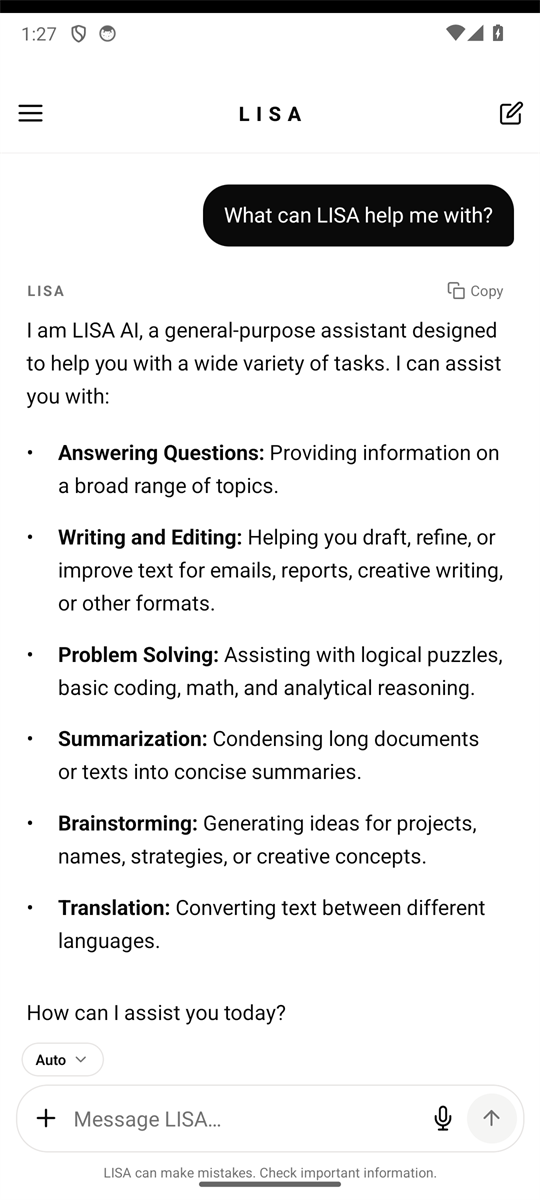
AI Chat
A conversation that carries the work forward.
Ask, refine, and build on what came before. LISA keeps your conversations together so you can return to the thread instead of starting over.
- Conversation history you can reopen
- Suggested starting points
- Copy and reuse any answer
Personal AI Agents
Agents with a name, a role, and instructions.
Create agents for the work you repeat. Give each one a role, instructions, skills, and its own model. Mention an agent in a message to hand the task over.
- Custom roles and instructions
- Per-agent model choice
- Mention an agent from the composer
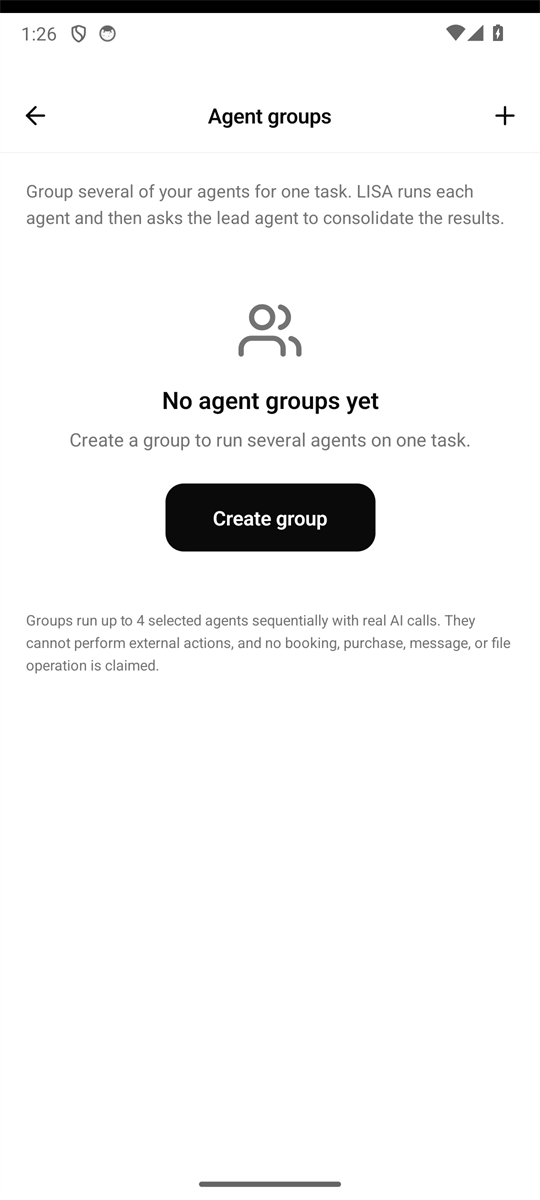
Agent Groups
Several agents, one task.
Group agents that work best together. A group run sends the task through your agents in sequence and returns a single combined result.
- Build a group from your own agents
- Run the group as one task
- Review the combined output
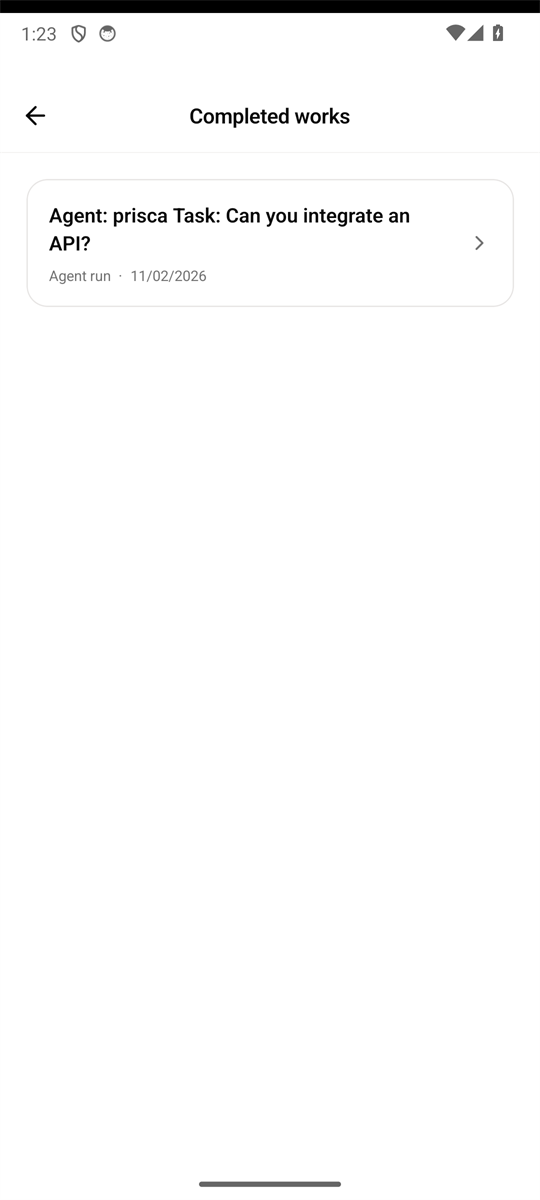
Completed Works
A record of what was actually done.
Every agent run is recorded with its task, result, and status. Completed works is a clear archive of real output — not a feed of promises.
- Task history with results
- Clear completed and failed states
- Open the work behind a notification
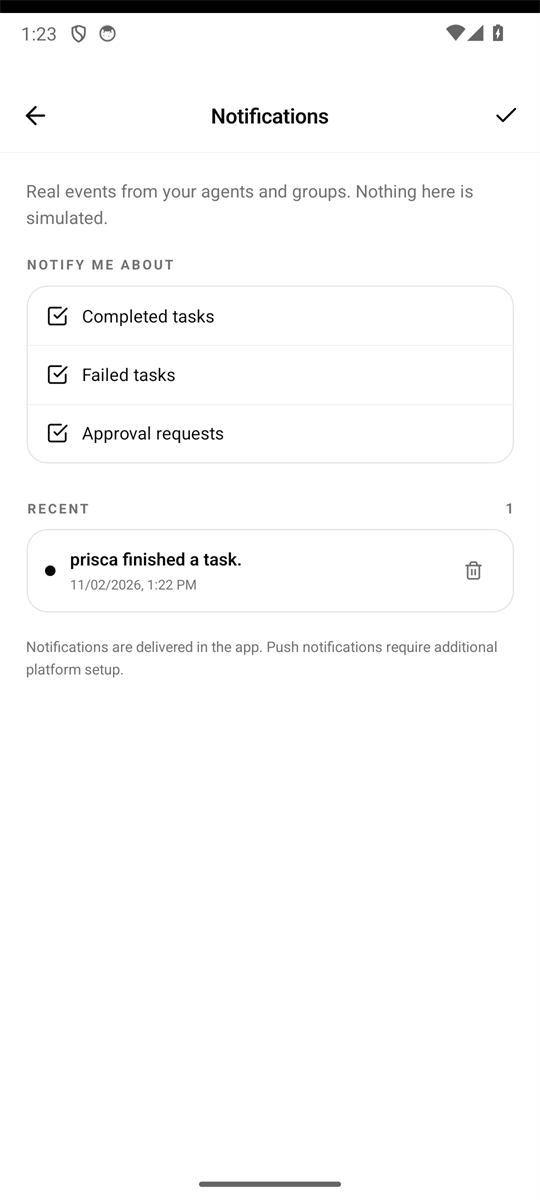
Notifications
Know when the work is ready.
In-app notifications tell you when an agent or group finishes, fails, or needs a decision. Open one to go straight to the related work.
- Completion and failure updates
- Unread count in the sidebar
- Delete what you no longer need
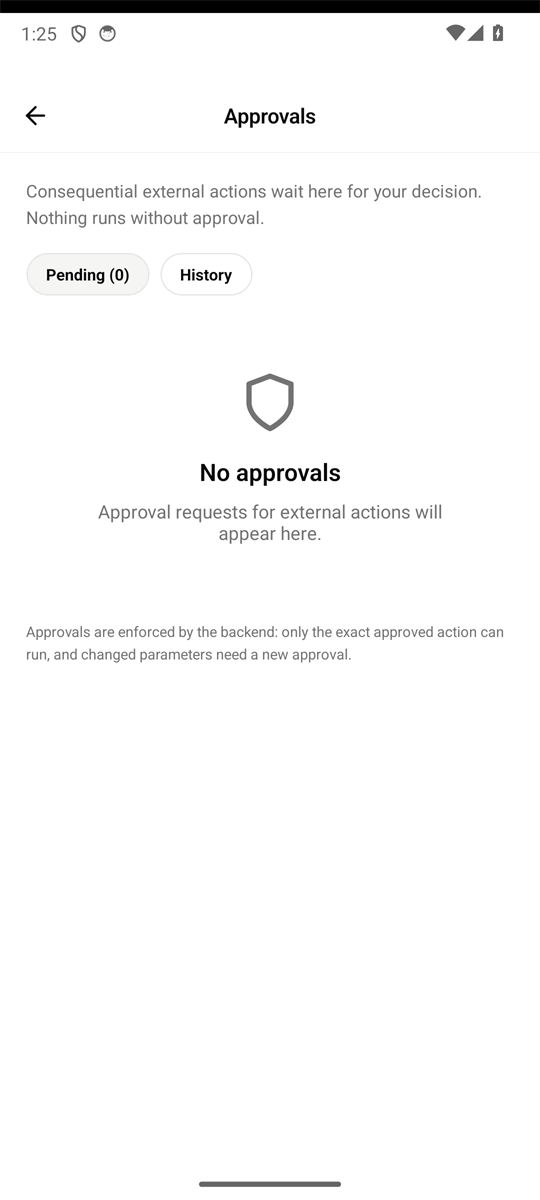
Approval Workflows
Consequential actions wait for you.
Actions that need a decision are held for review. Approve or reject them in the app, and the agent proceeds only after your choice.
- Approve or reject from the notification
- Status stays in sync
- Built for work that should not run unattended
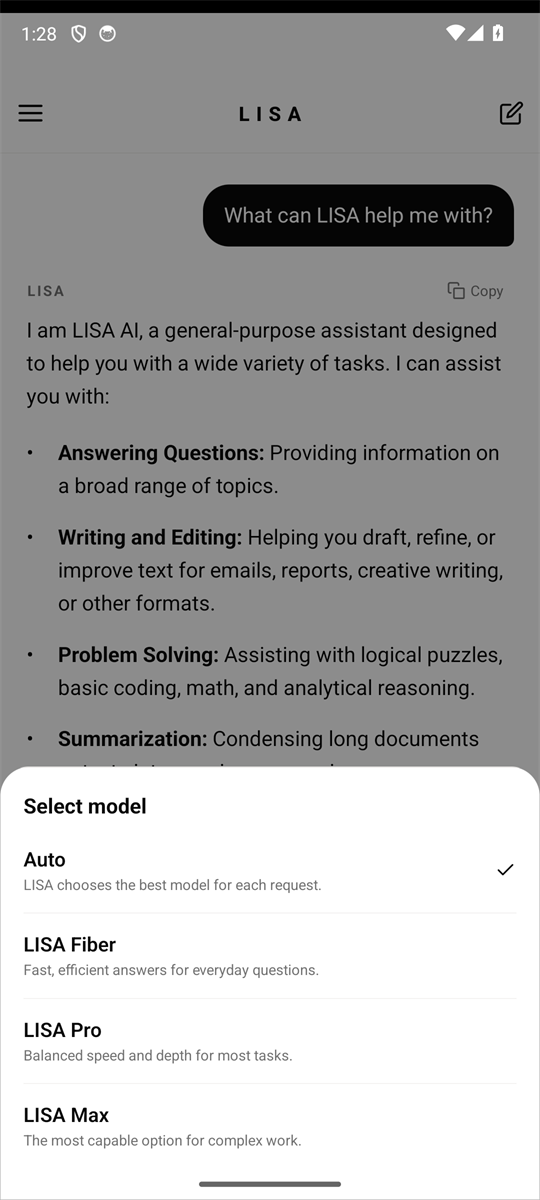
Model Selection
Choose how LISA answers.
Auto lets LISA pick the right model for each request. LISA Fiber, LISA Pro, and LISA Max give you direct control of speed and depth.
- Auto is the default
- Fiber, Pro, and Max options
- Each agent can keep its own model
Only what exists
No invented capabilities.
This page does not advertise features that are not available. Sandbox and Store are temporarily removed from the app interface and are not offered here.
- Every feature listed is present in the current app build.
- Product images are actual app screens, not generated mockups.
- No testimonials, user counts, awards, or partnerships are claimed.